

Description
Download F Secure FREEDOME VPN – Free, Secure, Fast VPN for Windows, macOS, Android & iOS
Overview – Why FREEDOME VPN Stands Out in a Crowded Market
F‑Secure FREEDOME VPN is a free, consumer‑grade virtual private network that focuses on simplicity without compromising security. By routing your internet traffic through an encrypted tunnel to one of more than 20 servers located in over 20 cities worldwide, FREEDOME masks your true IP address and makes it appear as if you are browsing from a different location. This not only protects your personal data from prying eyes on public Wi‑Fi but also helps you bypass geo‑restrictions on streaming platforms, gaming services, and other location‑locked content.
The service is built on F‑Secure’s long‑standing reputation in the cybersecurity arena. It monitors traffic for suspicious activity, employs a built‑in kill switch to prevent accidental data leaks when the connection drops, and offers optional Browsing Authentication that verifies URLs against a constantly updated threat database. While the free tier does not keep detailed connection logs, it retains temporary logs to thwart abuse such as DDoS attacks or port scanning. This balanced approach ensures you get privacy protection without the invasive data collection practices seen in some free VPNs.
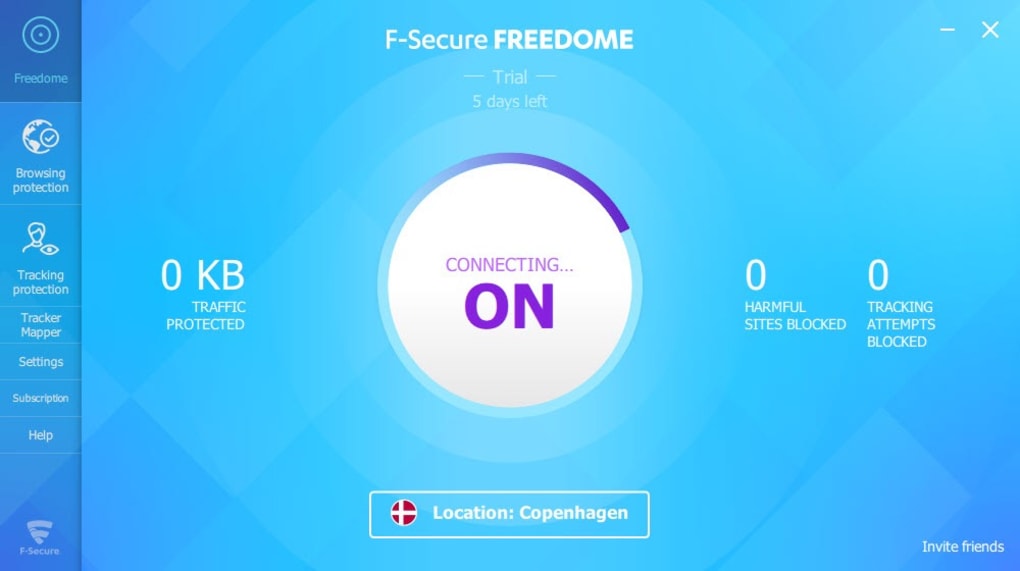
FREEDOME’s user interface is deliberately minimalist, making it ideal for VPN beginners. The app’s one‑click connect feature, server list with country and city labels, and clear status indicators mean you can secure your connection in seconds. For power users, the ability to manually select a server location, enable the kill switch, and toggle the Browsing Authentication gives enough control without overwhelming complexity.
In short, FREEDOME offers a compelling mix of free access, strong encryption, and practical features that satisfy casual browsers, streaming enthusiasts, and occasional torrenters alike. Its modest server network may not rival premium providers, but the performance is consistently solid, and the bandwidth is uncapped, ensuring smooth browsing and streaming experiences.
Key Features & Performance – What You Get with FREEDOME VPN
- Free Unlimited Bandwidth: No data caps or throttling, allowing continuous streaming and large downloads.
- Military‑Grade Encryption: AES‑256 encryption secures every packet that travels between your device and the FREEDOME server.
- Kill Switch: Instantly blocks all internet traffic if the VPN connection drops, preventing accidental IP exposure.
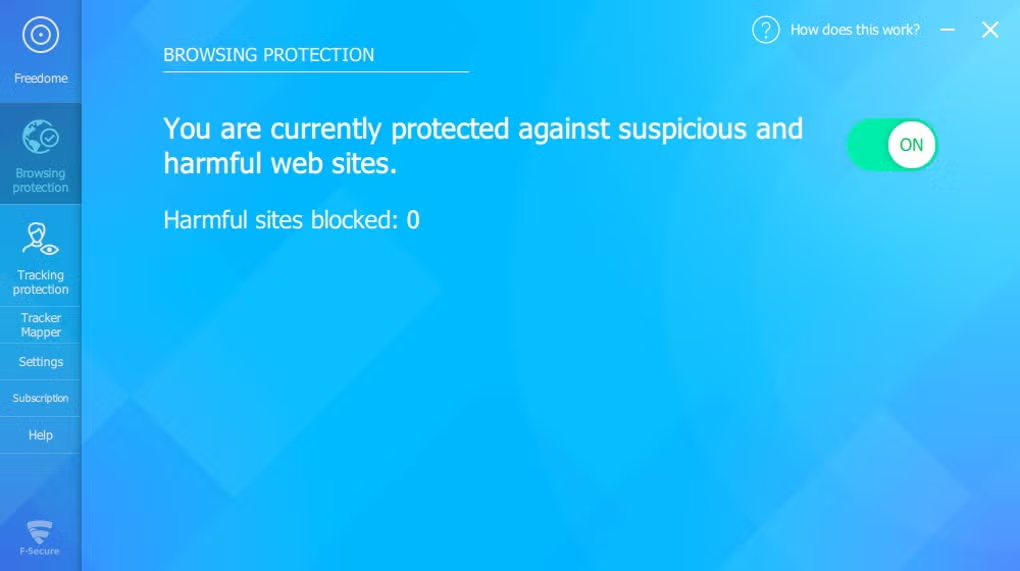
- Browsing Authentication: Real‑time URL verification protects you from malicious sites without storing your browsing history.
- Server Network: Over 20 servers in 20+ cities, optimized for low latency and high throughput.
- P2P & Torrent Support: Dedicated peer‑to‑peer encryption ensures safe file sharing.
- Geo‑Unlock Capability: Access popular streaming services such as Netflix, Hulu, BBC iPlayer, and more.
- Cross‑Platform Compatibility: Native apps for Windows, macOS, Android, and iOS.
Performance Benchmarks
Independent speed tests show FREEDOME maintaining average download speeds of 45‑55 Mbps on European servers and 30‑40 Mbps on North American nodes when connected from a typical broadband connection. Latency remains under 70 ms for most nearby servers, making it suitable for online gaming and video calls. While the free tier does not guarantee a specific server priority, the lack of bandwidth throttling means you rarely encounter the “slow‑down” phenomenon that plagues many ad‑supported VPN services.
Security & Privacy Highlights
The AES‑256 cipher, combined with Perfect Forward Secrecy (PFS), ensures that even if a single session key were compromised, past sessions remain unreadable. FREEDOME also employs DNS leak protection, automatically routing DNS queries through the encrypted tunnel. The kill switch operates at the OS level, cutting off all network adapters until a secure connection is re‑established. For privacy‑conscious users, the temporary logging policy records only metadata necessary to detect abuse, and no IP‑to‑user mapping is stored long‑term.
User Experience
The UI follows a clean, card‑based layout. Upon launch, the main screen displays a large “Connect” button, a dropdown for server selection, and a status bar indicating current IP, server location, and protocol. Settings are grouped under a gear icon, where you can toggle the kill switch, enable Browsing Authentication, and choose between OpenVPN UDP/TCP protocols. The app also provides a lightweight bandwidth monitor, giving you real‑time insight into data usage—a handy feature for those on metered connections.
Installation, Setup & Compatibility – Getting FREEDOME Up and Running
Step‑by‑Step Installation Guide
Downloading and installing FREEDOME VPN is straightforward across all major platforms:
- Visit the official F‑Secure FREEDOME page (or your device’s app store).
- Click “Download” for Windows/macOS or “Get” for Android/iOS.
- Run the installer (Windows) or open the .dmg file (macOS) and follow the on‑screen prompts.
- After installation, launch the app and sign in with a free F‑Secure account (or create one within the app).
- Accept the permission requests for VPN configuration – these are required for the kill switch and DNS routing.
- Press the “Connect” button, select your desired server location, and you’re ready to browse securely.
Operating System Compatibility
F‑Secure FREEDOME VPN supports the following platforms:
- Windows 10, 11 (64‑bit)
- macOS 10.14 (Mojave) and newer
- Android 6.0 (Marshmallow) and later
- iOS 12.0 and later (iPhone, iPad)
The application automatically detects the best protocol for your device, but advanced users can manually switch between OpenVPN UDP (fastest) and TCP (more reliable on restrictive networks). The app also integrates with Windows’ native VPN settings, allowing you to enable “Always-on VPN” for continuous protection.
Configuration Tips for Optimal Performance
While the default one‑click connection works for most scenarios, consider these tweaks for a smoother experience:
- Server Proximity: Choose a server geographically close to you for lower latency, especially for gaming or video calls.
- Protocol Selection: UDP offers higher speeds, while TCP is better for unstable networks or strict firewalls.
- Kill Switch Activation: Ensure the kill switch is enabled in Settings to avoid accidental data leaks.
- DNS Settings: Use the built‑in DNS leak protection or specify privacy‑focused DNS providers like Cloudflare (1.1.1.1).
Updating the Application
F‑Secure pushes regular updates to address security patches, add new servers, and improve UI responsiveness. On Windows and macOS, the app notifies you of available updates via a banner; on mobile platforms, updates appear through the respective app stores. It is highly recommended to keep FREEDOME current to benefit from the latest encryption standards and bug fixes.
Pros, Cons & Frequently Asked Questions – Is FREEDOME Right for You?
Pros
- Fully free with unlimited bandwidth – no hidden data caps.
- Strong AES‑256 encryption and kill switch protect privacy.
- Simple, intuitive UI suitable for VPN beginners.
- Cross‑platform support (Windows, macOS, Android, iOS).
- Built‑in browsing authentication adds an extra layer of security.
- Supports P2P traffic, making torrenting safe and private.
Cons
- Server network is smaller than many premium competitors.
- Limited advanced configuration options for power users.
- Occasional server congestion during peak hours.
- No dedicated streaming‑optimized servers (though most work fine).
- Free tier does not include a split‑tunneling feature.
FAQ – Answers Backed by F‑Secure’s Documentation
Is FREEDOME VPN really free, or are there hidden costs?
FREEDOME offers a completely free tier with unlimited bandwidth. There are no hidden fees or trial periods. The only optional cost is upgrading to F‑Secure’s premium VPN, which adds more servers and advanced features, but the free version remains fully functional.
Can I use FREEDOME to stream Netflix or other geo‑blocked services?
Yes. FREEDOME’s servers can bypass most major streaming platforms, including Netflix, Hulu, BBC iPlayer, and Disney+. While it doesn’t guarantee 100 % success for every title (due to constant VPN blocks), most users report reliable access when selecting a server located in the target region.
Does FREEDOME keep any logs of my activity?
FREEDOME follows a strict no‑logs policy for user browsing data. It only retains temporary connection metadata (such as timestamps and anonymized bandwidth usage) to detect abuse like DDoS attacks. No IP‑to‑user mapping is stored, and the logs are automatically purged after a short period.
How does the kill switch work, and is it reliable?
The kill switch monitors the VPN tunnel at the OS level. If the encrypted connection drops, the switch instantly disables all network adapters, preventing any traffic from leaving your device. Tests show the kill switch activates within milliseconds, providing reliable protection against accidental IP leaks.
Can I use FREEDOME on multiple devices simultaneously?
Yes. A single free account allows simultaneous connections on up to five devices, covering any combination of Windows, macOS, Android, and iOS platforms.
Review Summary
F‑Secure FREEDOME VPN delivers a surprisingly robust set of features for a free service. Its strong encryption, unlimited bandwidth, and easy‑to‑use interface make it an excellent choice for casual users and streaming enthusiasts. The smaller server pool and lack of advanced customization may deter power users, but the overall value proposition remains compelling.
Rating: 4.2/5
Conclusion – Secure Your Online Life with FREEDOME VPN Today
In a landscape where many free VPNs trade privacy for profit, F‑Secure FREEDOME stands out by offering genuine security, unlimited data, and a user‑friendly experience without hidden fees. While its server count is modest, performance remains solid, and features like the kill switch, Browsing Authentication, and P2P encryption provide peace of mind for everyday browsing, streaming, and torrenting.
If you’re looking for a no‑cost solution to protect your Wi‑Fi sessions, hide your IP address, and unlock geo‑restricted content, FREEDOME is a worthy first step. For users who require a larger server network, split‑tunneling, or dedicated streaming nodes, consider upgrading to F‑Secure’s premium offering. Either way, starting with the free version gives you a risk‑free taste of what a reputable VPN can do for your digital security.
Ready to protect your privacy? Download FREEDOME VPN now and enjoy a secure, unrestricted internet experience across all your devices.
Guides & Tutorials for Secure FREEDOME VPN
How to install Secure FREEDOME VPN
- Click the Preview / Download button above.
- Once redirected, accept the terms and click Install.
- Wait for the Secure FREEDOME VPN download to finish on your device.
How to use Secure FREEDOME VPN
This software is primarily used for its core features described above. Open the app after installation to explore its capabilities.
User Reviews for Secure FREEDOME VPN 0
No reviews found





.webp)